
 Fairplay Login Verification Code Not Received? Solutions
 2026-08-31
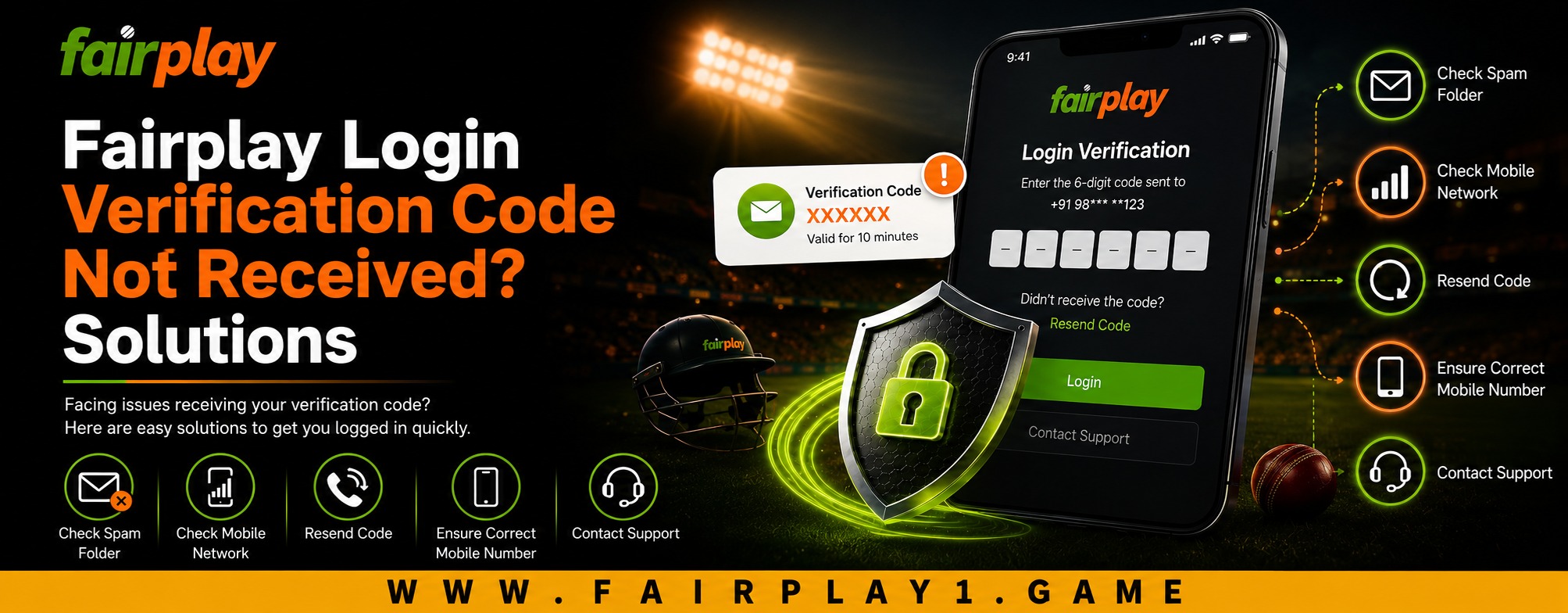
Getting stuck because a verification code has not arrived can be frustrating, especially when you simply want to access your account. Verification codes are commonly used as an additional security step, so a delay does not necessarily mean there is a problem with your account. It can be caused by network conditions, incorrect contact details, message filtering, or too many requests in a short period. If you are facing this issue during Fairplay login, a few simple checks can often help identify the cause and restore access.
Why Is the Verification Code Not Arriving?
A verification code may be delayed for several reasons. The first possibility is a temporary delivery issue between the platform and your mobile network or email provider. SMS messages can sometimes take longer than expected, while email-based codes may be redirected to spam or junk folders.
Another common reason is incorrect account information. If the registered phone number or email address is no longer accessible, the code may be going somewhere you cannot check.
Security systems can also temporarily limit repeated verification requests. Major account providers advise users not to repeatedly request codes because unusual or excessive requests can trigger temporary restrictions.
Check Your Phone or Email First
Before changing any settings, check the basics.
If you are expecting an SMS, make sure your phone has a stable mobile connection and can receive ordinary text messages. Check whether your inbox is full and whether your phone has accidentally blocked messages from unknown or short-code numbers.
For email verification, check your inbox as well as your spam, junk, promotions, or bulk-mail folders. Email providers can occasionally classify automated verification messages incorrectly. Google, for example, recommends checking spam folders when an expected verification email does not appear.
Also confirm that the contact information shown during the login process belongs to you. Never enter a verification code sent to an unfamiliar number or email address.
Avoid Requesting Multiple Codes
One of the easiest mistakes is repeatedly pressing the “send code” button because the first message has not arrived.
This can make the situation more confusing. If several codes are generated, an older code may become invalid when a newer one is issued. Google specifically notes that when multiple verification codes are requested, only the most recent one may work.
Instead, request a new code once and wait a few minutes. If nothing arrives, pause before trying again. This approach is more comfortable for users and can help avoid unnecessary temporary restrictions.
Check Your Internet Connection
Although a verification code may arrive through SMS or email, the login page still needs a reliable internet connection to complete the authentication process.
Try switching between mobile data and Wi-Fi if your current connection appears unstable. You can also close the login page, reopen it, and start the process again after confirming that your connection is working properly.
A stable connection improves the overall login experience and reduces the chance of a page becoming stuck while the verification process is loading.
Try a Fresh Browser Session
Sometimes the problem is related to a browser session rather than the account itself.
Close unnecessary tabs and reopen the login page. If the issue continues, try another updated browser or use a private browsing window. Clearing outdated cached data can also help when a page repeatedly displays an old or incomplete login state.
Keep your browser and operating system updated where possible. Good digital maintenance is useful not only for convenience but also for long-term account security.
What If the Code Still Does Not Arrive?
If you have checked your phone, email, connection, and browser but still cannot receive the code, avoid repeatedly attempting the same action.
Look for an official account-recovery or alternative verification option if one is provided. If you cannot access the registered contact method, customer support may be the appropriate next step. When contacting support, provide only the information needed to identify the account.
Never share your password, full payment details, or verification code with another person. A legitimate support representative should not require you to disclose a one-time security code simply to prove ownership.
How Better Verification Supports Customer Experience
Verification can sometimes feel inconvenient, but an additional authentication step can provide important protection against unauthorized account access. The goal should be a balance between security and ease of use.
For customers, quality account access means receiving clear instructions, having understandable recovery options, and knowing what to do when something goes wrong. This is increasingly important as customer expectations change. People now expect online services to provide quick, mobile-friendly, and straightforward account support.
A thoughtful verification process can also reduce unnecessary support requests and make the overall experience more versatile across different devices and connection types.
Make Thoughtful Choices About Account Security
Account security is not only about solving a login problem when it happens. It is also about making sensible decisions beforehand.
Use a strong, unique password and keep your registered contact information current. Avoid accessing accounts through suspicious links or unofficial pages. Bookmarking the legitimate service page can reduce the risk of accidentally entering credentials into a fraudulent website.
These small habits provide long-term value because they reduce avoidable account-access problems while supporting safer digital use. Sustainability in a digital context can also mean maintaining simple, responsible habits rather than repeatedly creating new accounts or changing security information unnecessarily.
Conclusion
A missing verification code does not always indicate a serious account problem. Checking your phone or email, reviewing spam folders, confirming your registered details, maintaining a stable connection, and avoiding repeated code requests are sensible first steps. If those measures do not work, use the official recovery or support route available to you.
For a smoother fairplay app experience, customers should combine careful account management with basic security habits. Taking a few thoughtful steps today can make future account access easier, safer, and more convenient.
FAQs
1. Why have I not received my Fairplay verification code?
The code may be delayed because of network issues, email filtering, incorrect contact information, or temporary limits caused by repeated requests. Check your phone, inbox, spam folder, and connection before requesting another code.
2. Should I request the verification code repeatedly?
No. Repeated requests can make the process more complicated, and newer codes may invalidate earlier ones. Request one code and allow some time for delivery.
3. What should I do if the code arrives late?
Use the newest valid code displayed or sent to you. If you have already requested several codes, wait and request another one only when necessary.
4. What if I no longer have access to my registered phone or email?
Look for an official account-recovery or alternative verification option. If none is available, contact the platform's official support channel and follow its account-recovery procedure.
5. Is it safe to share my verification code with customer support?
You should not share a one-time verification code with another person unless the platform's official security process explicitly requires it. Treat verification codes as sensitive account credentials.